Introduction
Organizer applies rules to your files. Each rule has conditions (filename matches a pattern, extension is one of several types, EXIF tag equals a value...) and actions (move, rename, trash, run a script...). Rules run automatically on a batch of files, or on demand at the press of a key.
For example, it can be used to sort a vacation's pictures and videos and put them in separate folders according to their location, the context, etc. or to move old unused downloaded files to the trash automatically.
Three ways to use it
-
Drop window
A small always-on-top window that accepts files and folders dragged onto it. Shows a preview of what will happen, and prompts only for rule conflicts with a media viewer.
-
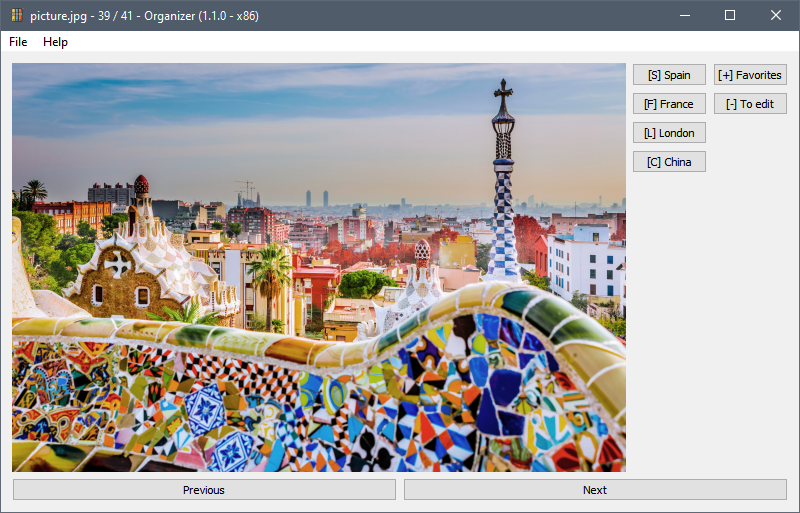
Manual sorting
A media viewer that loads a folder of images, videos, or audio and shows them one at a time. Press a configured key to act on the current file and advance to the next.
-
CLI
Process files from a script or scheduled task. Supports dry-run, recursive directories, stdin input, and watch mode.
See the CLI reference.
Features
- Rich conditions: filename, extension, MIME type, file size, date, EXIF metadata, ID3 tags, file content (text, PDF, DOCX)...
- Templating: use
{created|year},{id3.Artist},{extension|upper}, etc. in action targets. - Composite actions: a single rule can run multiple actions on a file in sequence.
- Dry-run mode: preview every operation before it touches a file.
- Operation history: every operation is logged.
- Cross-platform: Windows, macOS, and Linux.
- Free and open source: Apache 2.0 license.